> For the complete documentation index, see [llms.txt](https://wiki.mksdtech.com/llms.txt). Markdown versions of documentation pages are available by appending `.md` to page URLs; this page is available as [Markdown](https://wiki.mksdtech.com/beam/beam-for-rhinoceros/schedules.md).
# Schedules
Review and edit family data in tables
A schedule is a table of the families and parameters in your document. Use it to review data, find gaps, edit many values at once and export to Excel.
Schedules are saved in the `.3dm` file.
{% hint style="info" %}
Schedules are available on Windows only.
{% endhint %}
## Open a schedule
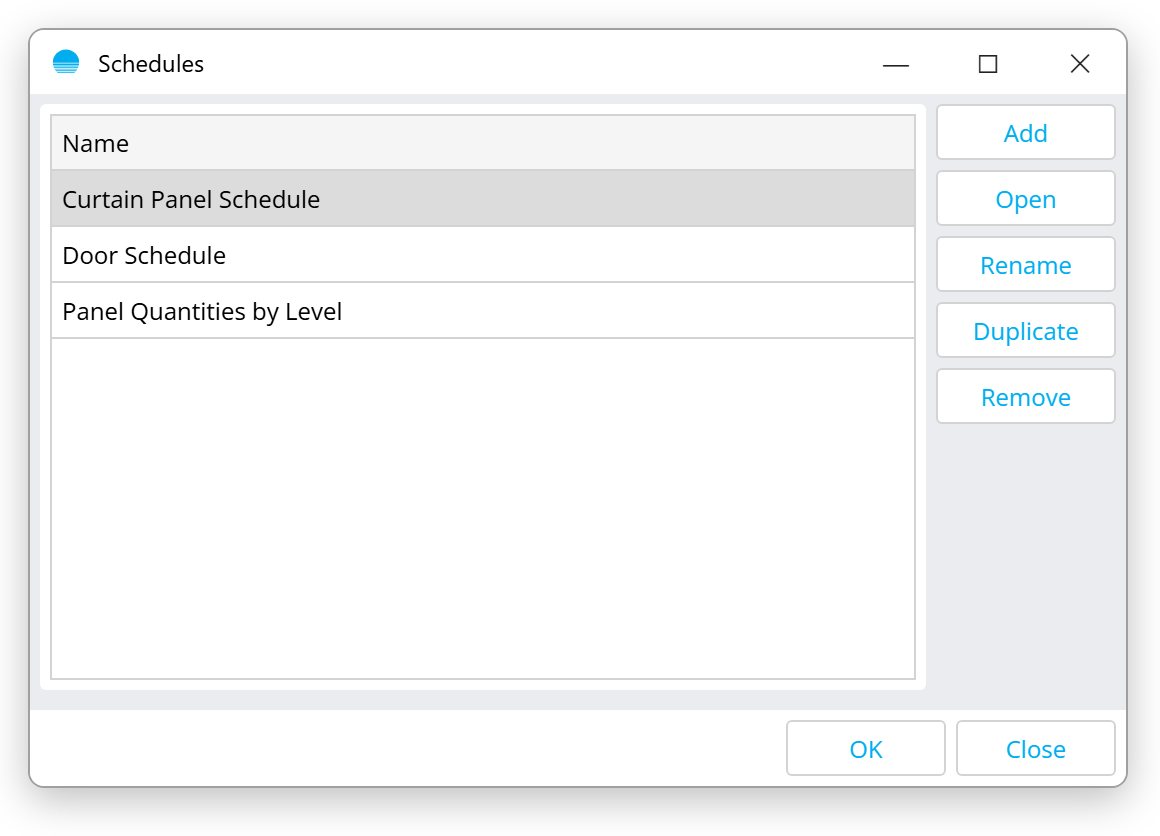
Click **Q** on the [panel](/beam/beam-for-rhinoceros/using-rhino-beam.md#tool-row). The list shows the schedules saved in the document.
| Button | What it does |
| ------------- | ------------------------------------------------------------------------- |
| **Add** | Create a schedule. Give it a name. |
| **Open** | Open the selected schedule. |
| **Rename** | Rename the selected schedule. |
| **Duplicate** | Copy the selected schedule with its columns, filters, groups and formats. |
| **Remove** | Delete the selected schedule. |
## The schedule window
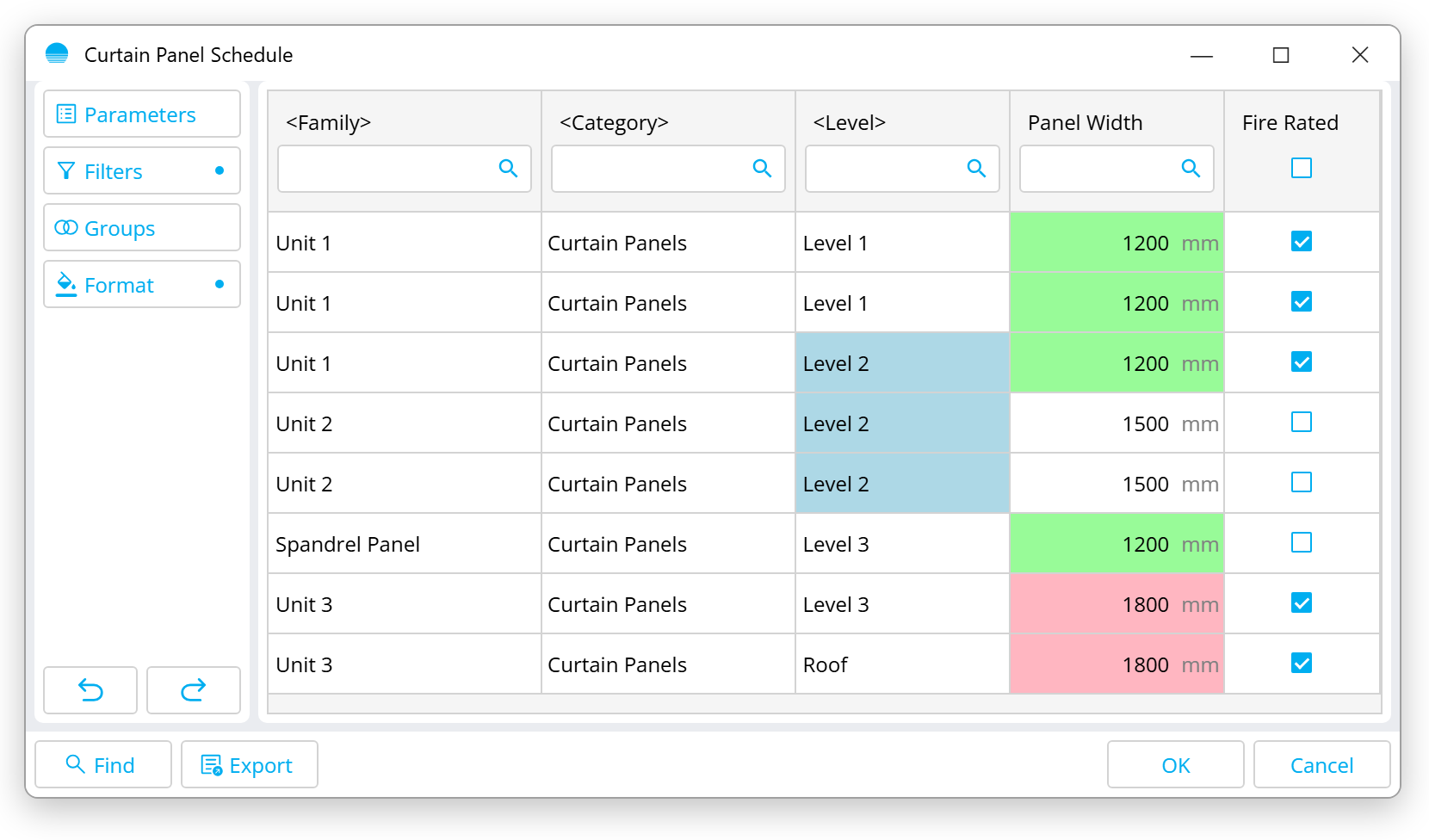
The buttons on the left set up the table. A dot on **Filters**, **Groups** or **Format** means that setting is active.
| Button | What it does |
| -------------- | ------------------------------------ |
| **Parameters** | Choose the columns and their order |
| **Filters** | Show only rows that match conditions |
| **Groups** | Group rows by parameter values |
| **Format** | Colour cells by value |
Work in the table:
* Click a column header to sort by it.
* Type in the search box of a text column header to filter by that column.
* Tick the checkbox in a Yes/No column header to set every row at once.
* Click a cell to edit its value.
* Use the undo and redo arrows to step through your edits.
Buttons at the bottom:
| Button | What it does |
| ---------- | ------------------------------------------------------------------- |
| **Find** | Select the Rhino objects of the selected rows |
| **Export** | Save the table as an Excel `.xlsx` file |
| **OK** | Save your edits to the document |
| **Cancel** | Close without saving. BEAM asks first if there are unsaved changes. |
## Columns
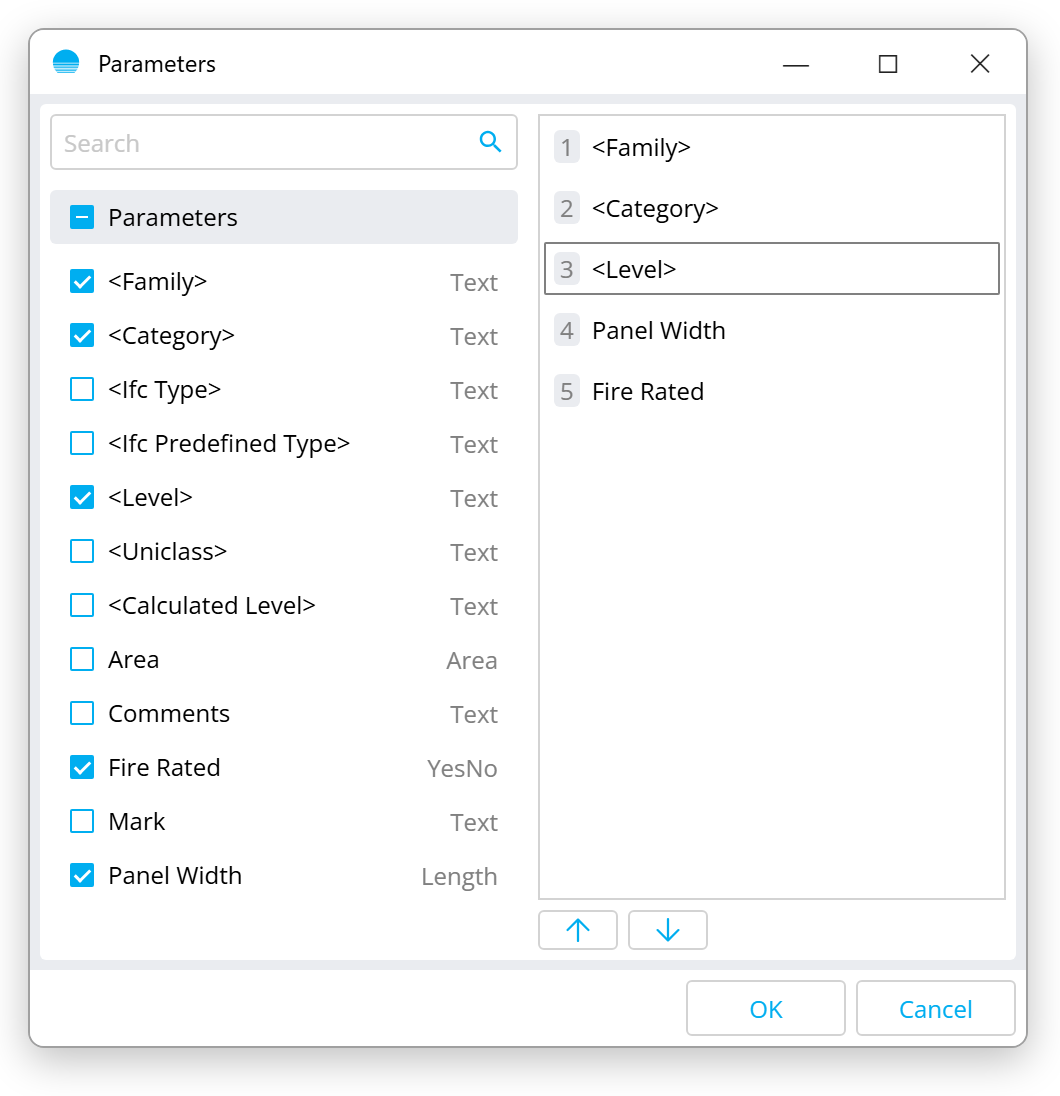
Click **Parameters**. Tick the parameters to show and set their order with the arrow buttons.
Besides your own parameters, these built-in fields are available. Their names are shown in angle brackets.
| Field | Value |
| -------------------------- | ------------------------------------------------------------------------------------------------------------- |
| **\** | The family name |
| **\** | The Revit category |
| **\** | The IFC type |
| **\** | The IFC predefined type |
| **\** | The level set in the panel, or `` |
| **\** | The level BEAM will actually use. See [Levels](/beam/beam-for-rhinoceros/levels.md#how-beam-picks-the-level). |
| **\** | The Uniclass code. See [Classifications](/beam/beam-for-rhinoceros/classifications.md). |
## Filters
Click **Filters** to show only the rows you need.
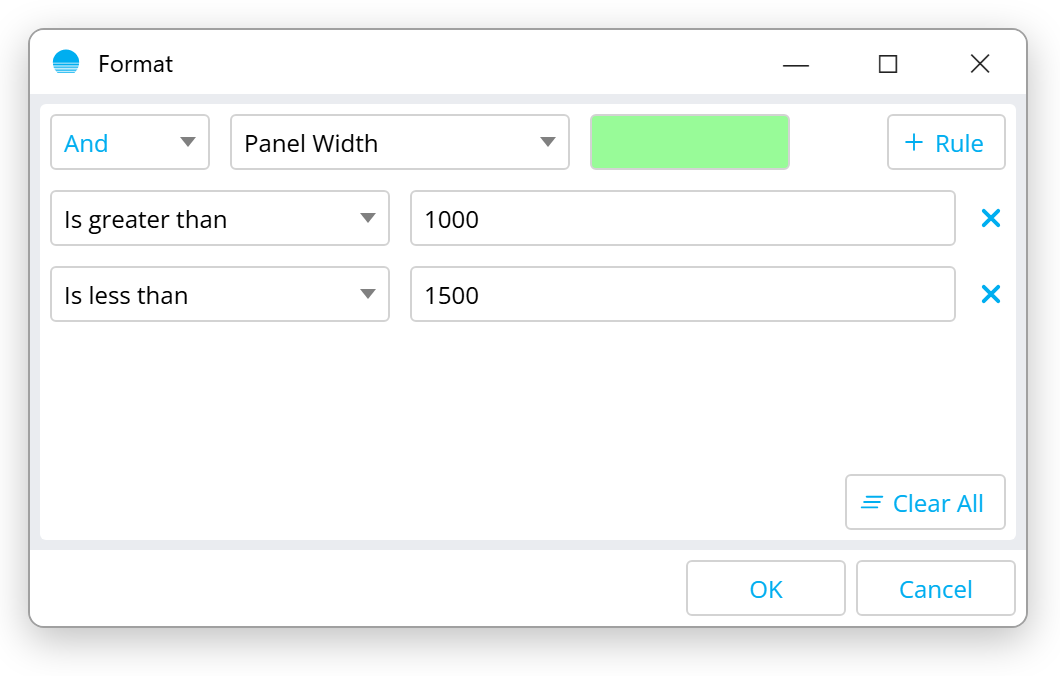
1. Click **Add Rule** to start.
2. Click **Filter** to add a condition: a parameter, a comparison and a value.
3. Set **And** or **Or**. **And** shows rows that match every condition. **Or** shows rows that match any of them.
**Clear All** removes every condition.
Comparisons:
| Comparison | Matches when the value… |
| ----------------------------------------------------- | ---------------------------------------------- |
| **Equals** / **Does not equal** | is, or is not, exactly the given value |
| **Is greater than** / **Is greater than or equal to** | is above, or at least, the given number |
| **Is less than** / **Is less than or equal to** | is below, or at most, the given number |
| **Contains** / **Does not contain** | includes, or does not include, the given text |
| **Begins with** / **Does not begin with** | starts, or does not start, with the given text |
| **Ends with** / **Does not end with** | ends, or does not end, with the given text |
| **Has value** / **Has no value** | is filled in, or is empty |
For Yes/No parameters, use `yes`, `true` or `1`, and `no`, `false` or `0`.
## Groups
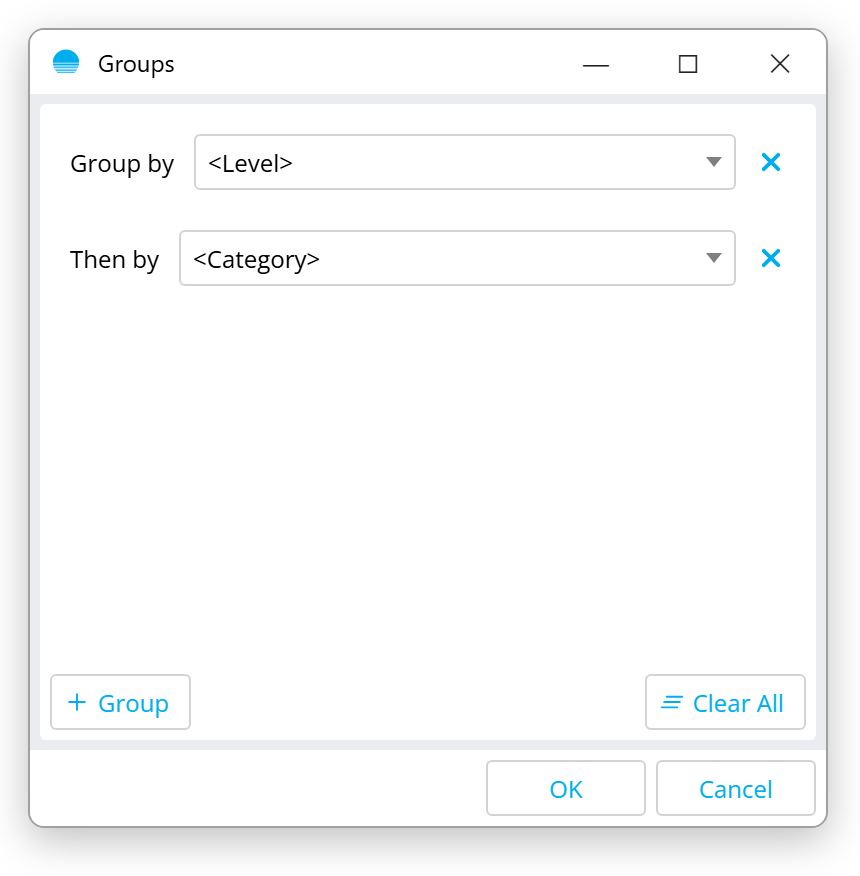
Click **Groups** to merge rows that share the same values into one row.
Choose a parameter for **Group by**. Click **Group** to add a **Then by** parameter. For example, group by **\**, then by **\**, to get one row per category on each level.
When grouping is on:
* A **Count** column shows how many objects each row holds.
* A cell shows its value when every object in the row has the same value. It is empty when the values differ.
* Editing a cell changes the value for every object in that row.
## Format
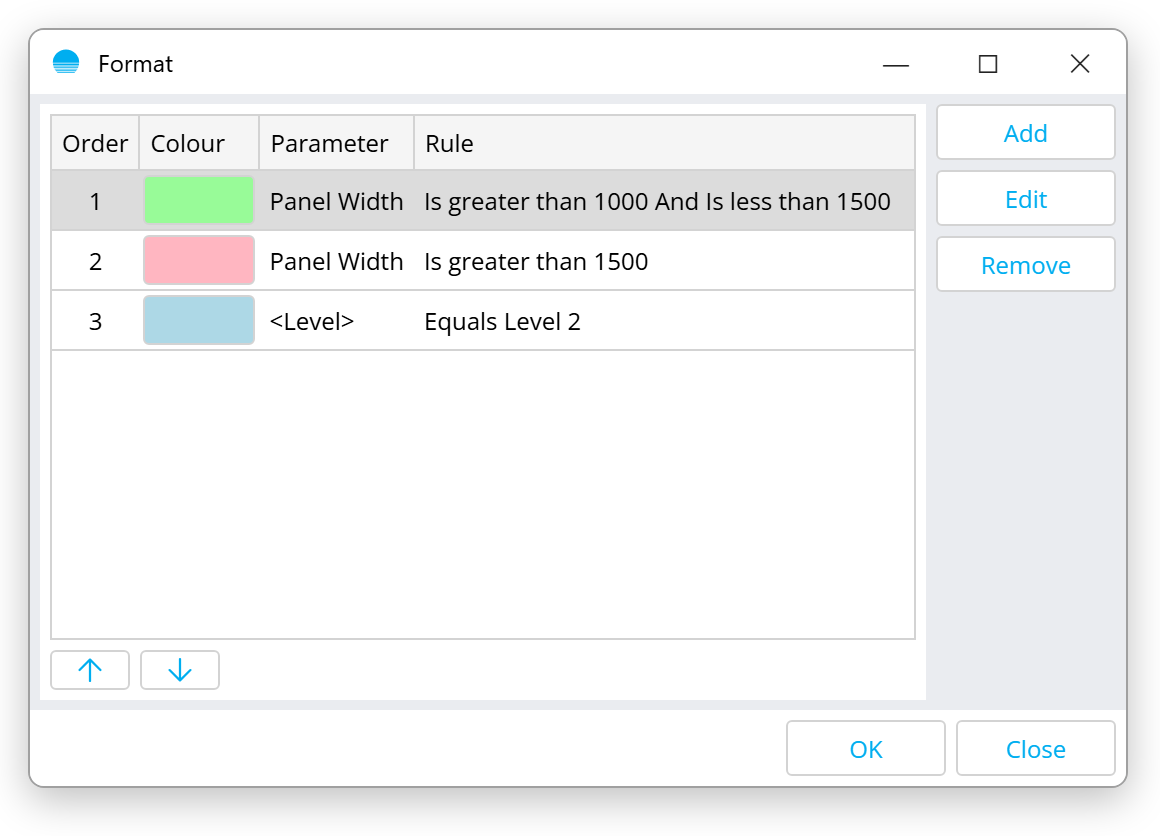
Click **Format** to colour cells. Each format rule colours one parameter's column where the value matches its conditions.
1. Click **Add** and pick the parameter.
2. Pick a colour.
3. Add conditions, the same way as in [Filters](#filters).
When several rules match a cell, the rule highest in the list wins. Use the arrow buttons to change the order.